SOURCE-BACKED CASE STUDY
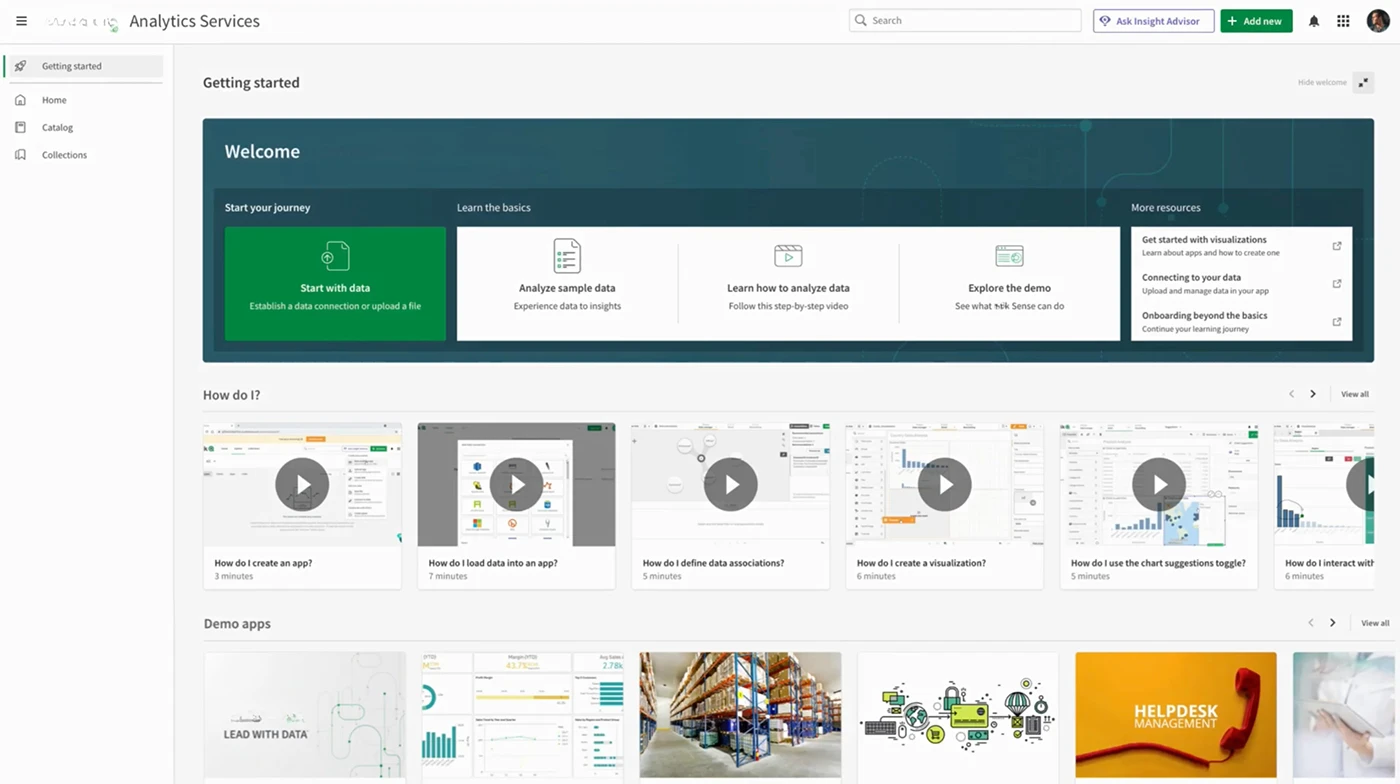
Leading the strategic integration and consolidation of the newly acquired product's core flows into our platform, establishing a cohesive user experience that leverages both product strengths
Project context
Leading the strategic integration and consolidation of the newly acquired product's core flows into our platform, establishing a cohesive user experience that leverages both product strengths
Design Impact
The updates to Clients Application Automation led to measurable improvements:
40% faster automation setup
35% increase in successful automation runs
Higher engagement with Template Picker
Stronger governance and monitoring tools
Product Details
Clients Platform: Application Automation
Functionality: Automates analytics and data-driven workflows
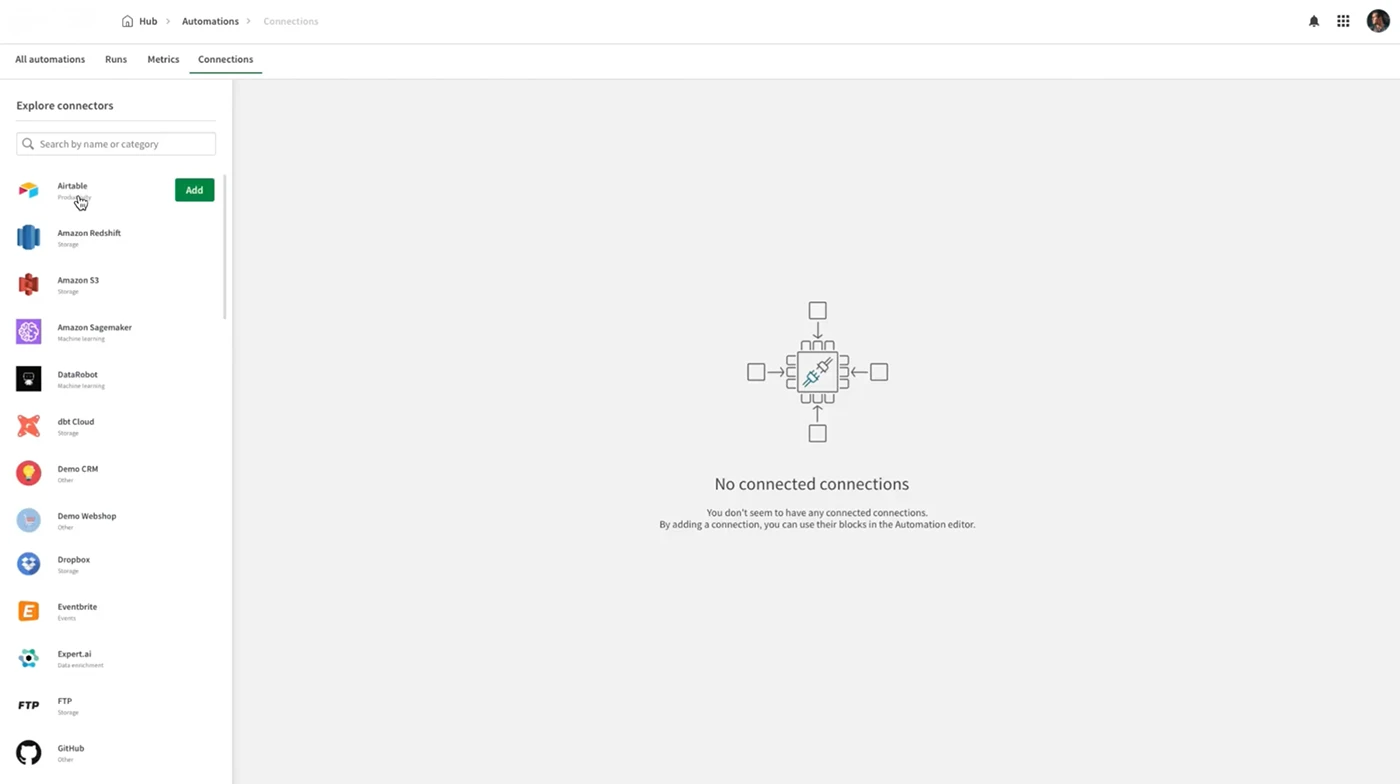
Integration: Integrates with hundreds of SaaS apps
Benefit: Simplifies business processes and improves efficiency
Clients Application Automation: Enabling users to automate analytics and improve data workflows. Application Automation is a no-code platform that helps users to automate analytics and data-driven workflows, integrating with hundreds of SaaS apps to simplify business processes and improve efficiency.
BACKGROUND
Automation should simplify work, not make it harder. Yet in Clients Cloud, setting up and managing workflows often felt overwhelming. The experience was too technical, driving some users to abandon automation altogether. Even experts struggled: the builder felt disconnected from the rest of the platform, templates were seen as rigid, and visibility into performance was limited. Troubleshooting became guesswork.
So how might we design automation that users can understand, control, and trust.
MY ROLE
Responsible for re-architecting the Application Automation experience during the integration of a new acquired startup into Clients Cloud. Simplified automation setup and monitoring, redesigned the template picker, and improved performance visibility. Collaborated with a distributed cross-functional team across the UK, Canada, Sweden, Spain, and Belgium to align the new layer with Clients design system and strategic goals, grounded in user feedback and telemetry.
UX Approach
I tackled key user challenges and refined the automation experience through a structured UX approach, grounded in real user feedback, behavioral insights, and continuous iteration.
Research & Discovery
-Qualitative research with customers to understand pain points and challenges in partnership with the UX Research team.
-Analyzed behavioral data and user frictions using Data Analytics and reviewed feedback from the Clients Community.
-Researched competing automation platforms to identify best practices in workflow setup and monitoring.
-Mapped potential use cases and scenarios in collaborative boards, translating technical challenges into actionable design insights
Definition & Ideation
-Mapped out user journeys to highlight major friction points.
-Applied progressive disclosure principles to guide users gradually through complex steps.
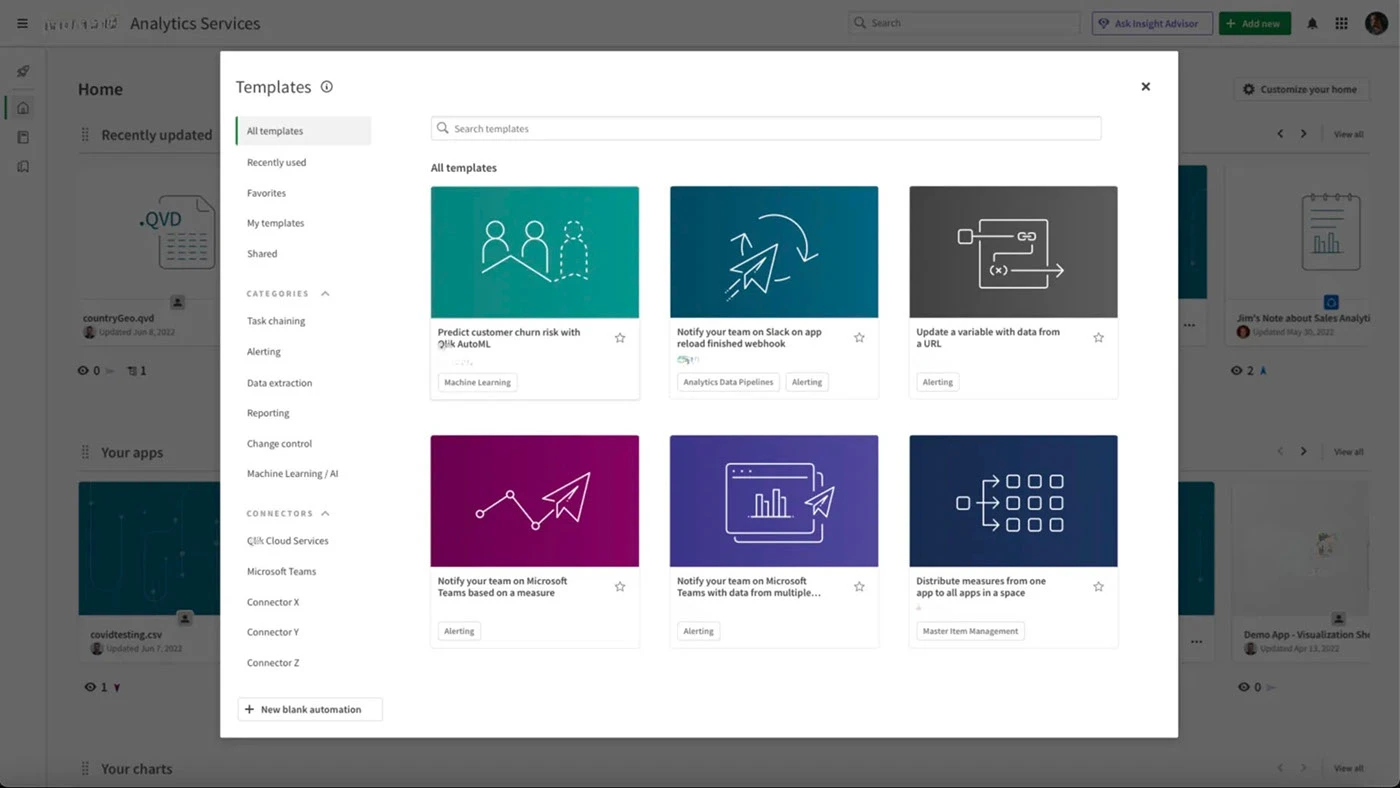
-Redesigned the Template Picker interface to surface relevant workflows clearly.
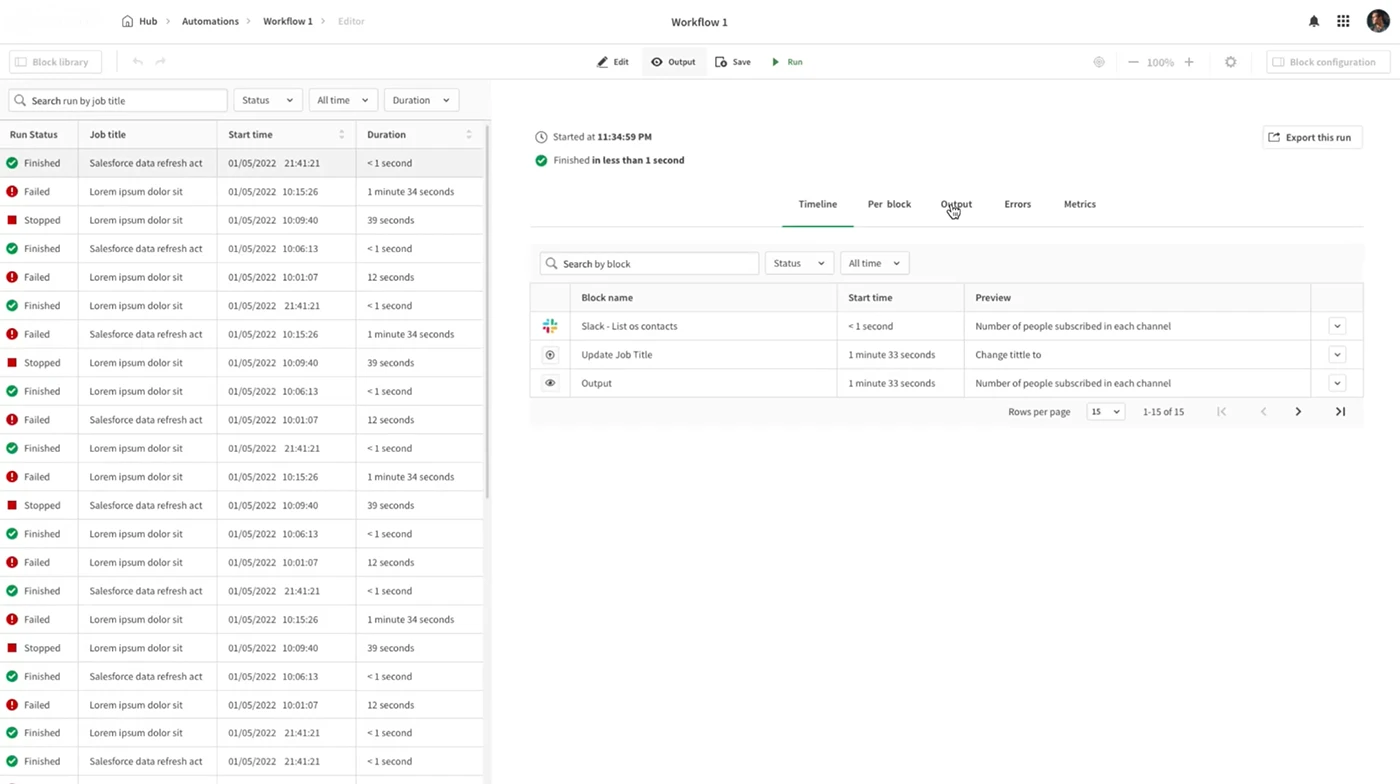
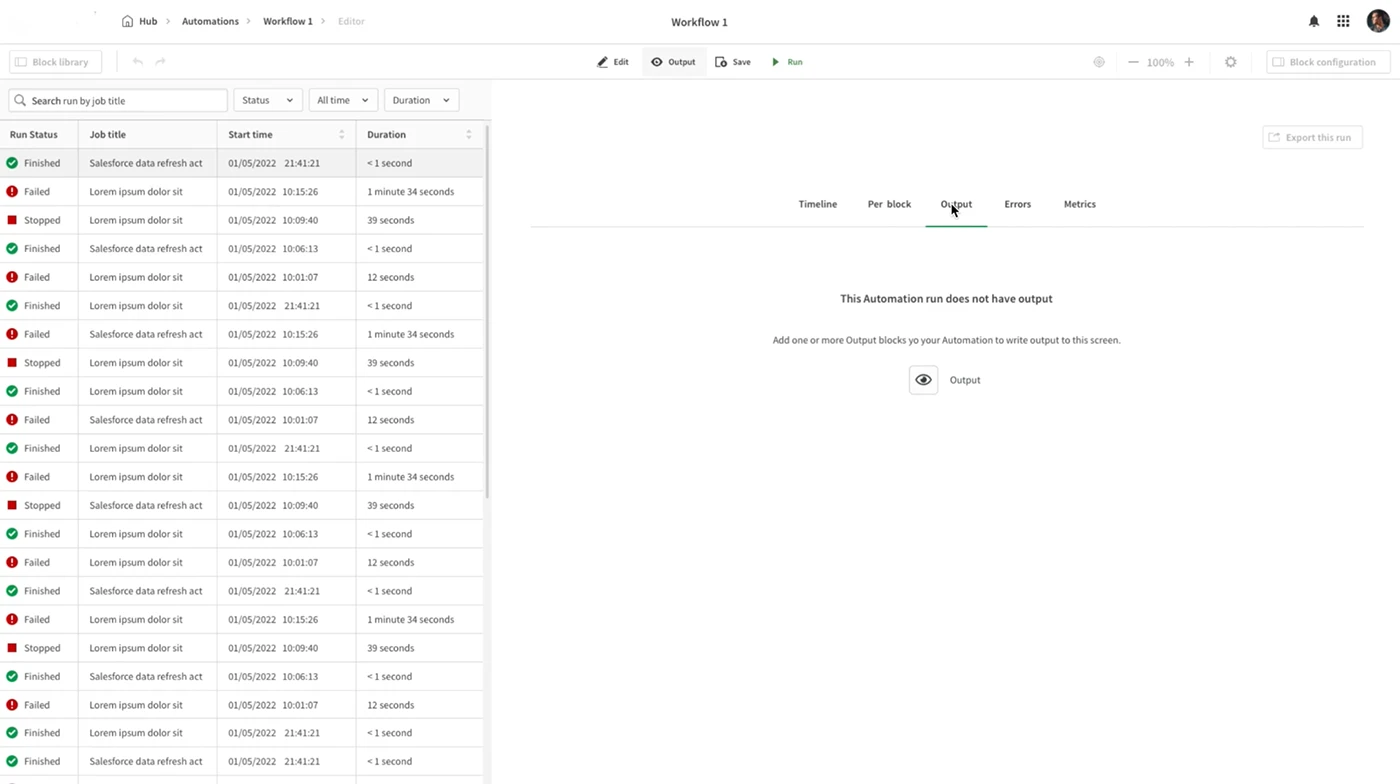
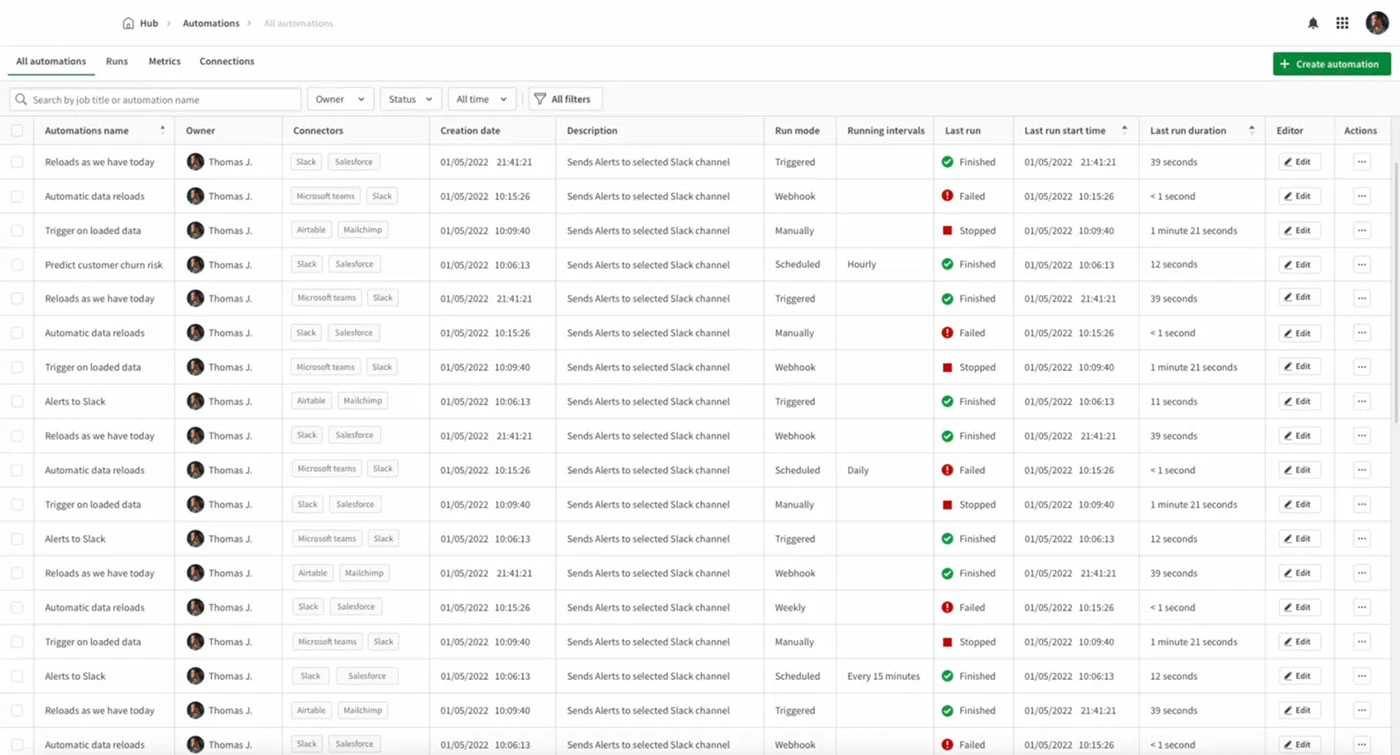
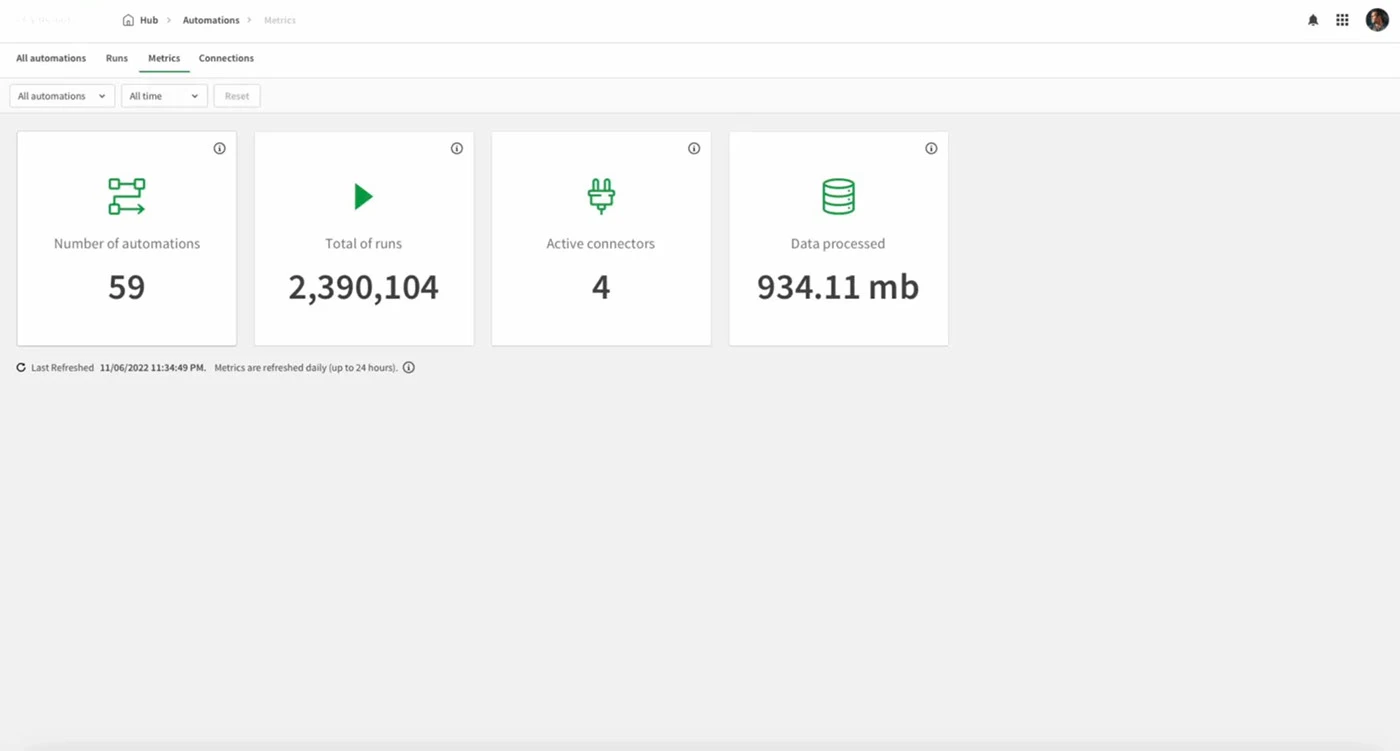
-Designed a comprehensive automation and metrics dashboard to centralize control, monitoring, and troubleshooting.
Deployment and iteration
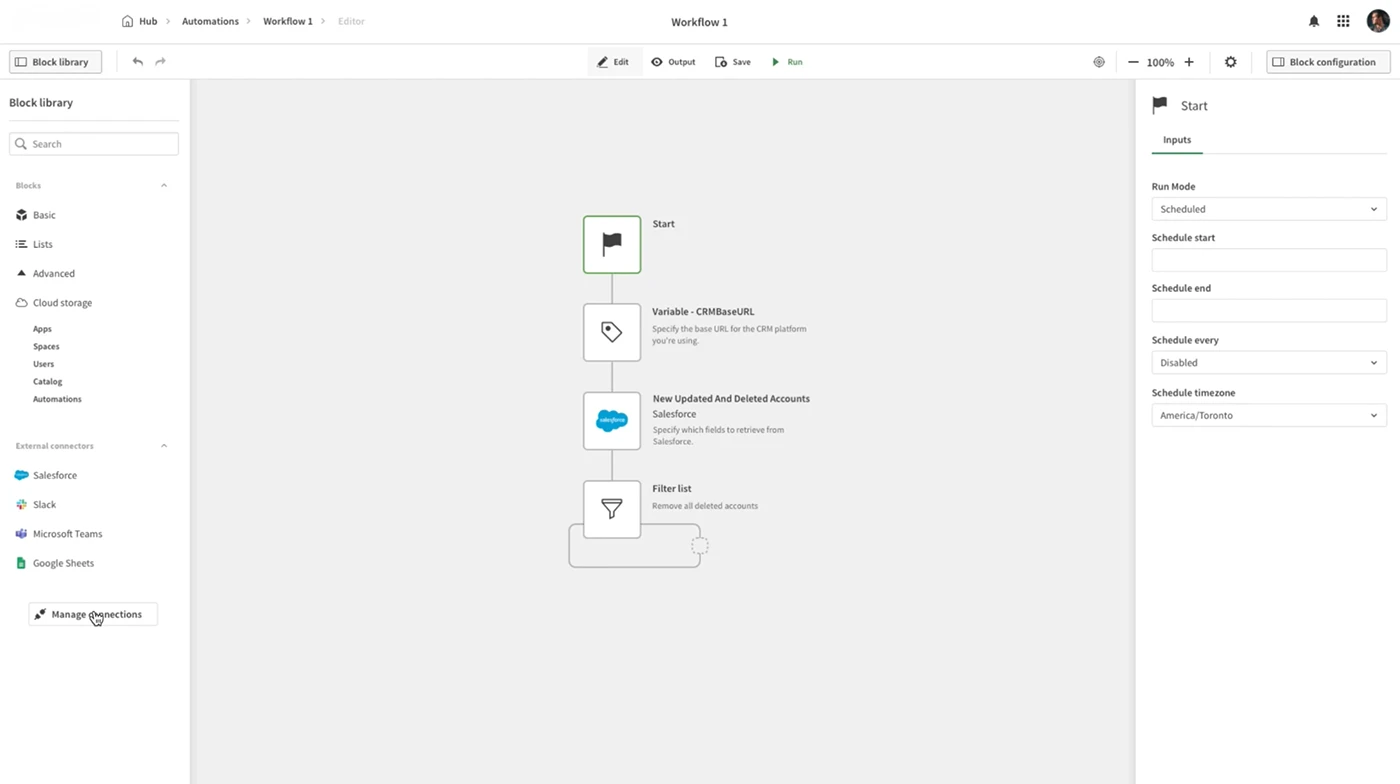
-Refined the automation builder to align with Clients Design System, ensuring interface consistency.
-Introduced smart error handling, with clear alerts, suggested fixes, and interactive debugging tools for faster troubleshooting.
-Optimized automation monitoring, giving users real-time visibility and control over execution status and system performance.
-Refined through iterative testing, ensuring every update addressed real user needs.
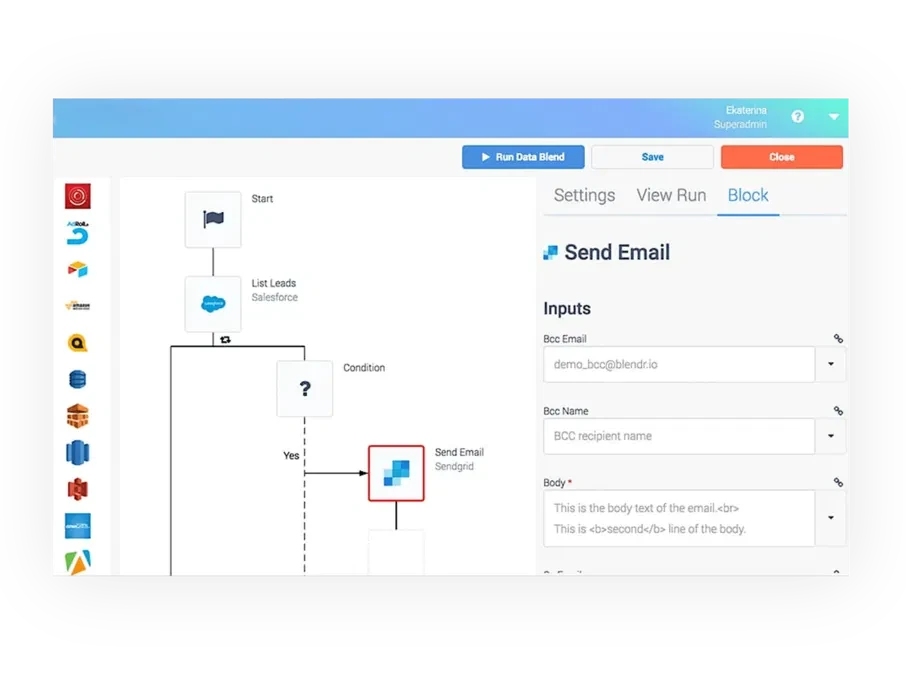
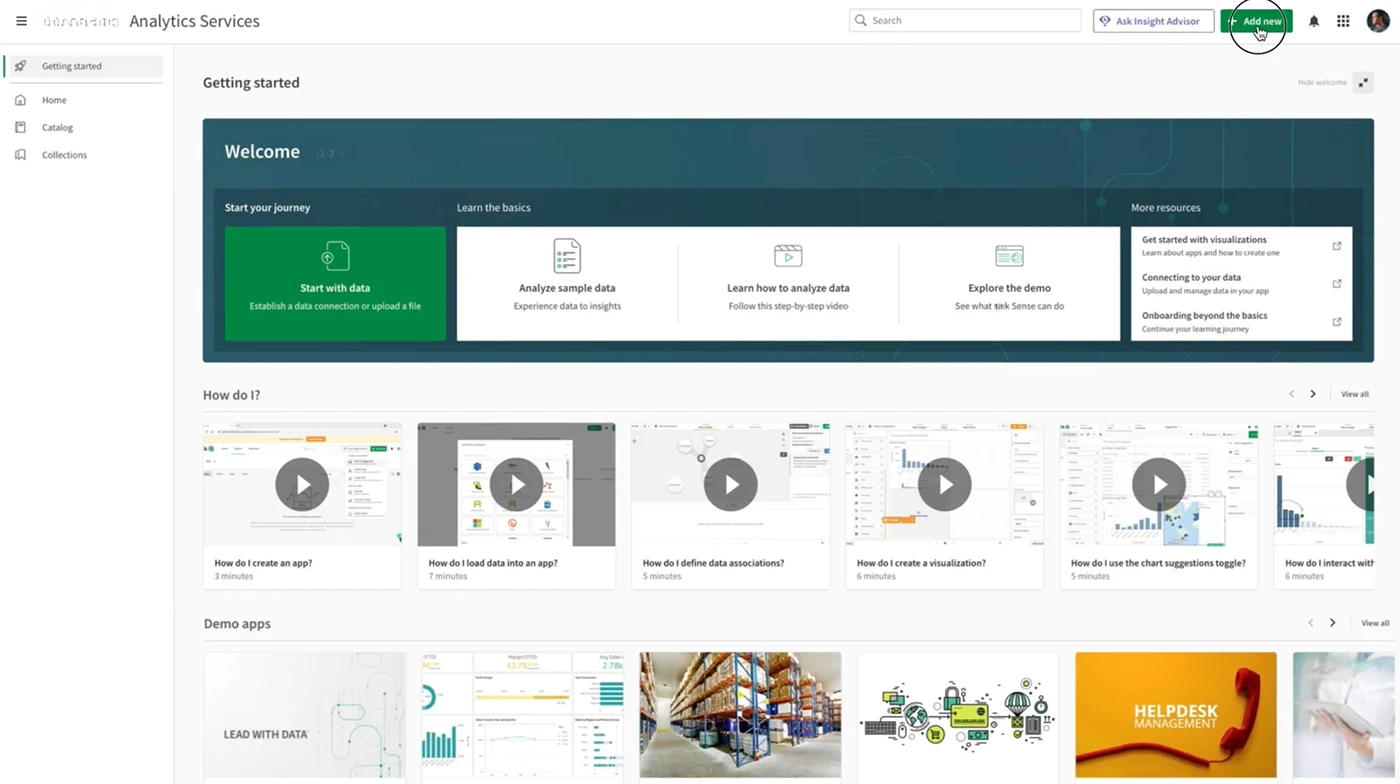
Cluttered, overwhelming, and disconnected
The old experience exposed everything at once, leaving users without guidance, clear flow, or confidence.
The plan
Trigger → Logic →Action
I redesigned the Application Automation to turn a fragmented, overly technical tool into an integrated part of Clients Cloud, making it easier for users to build, monitor, and trust their workflows. Pinpointed four key areas where users struggled.
By rethinking the core experience, I simplified setup, improved template relevance, and introduced visibility into automation performance, helping both Analytics DevOps and App Creators act faster on actionable insights.
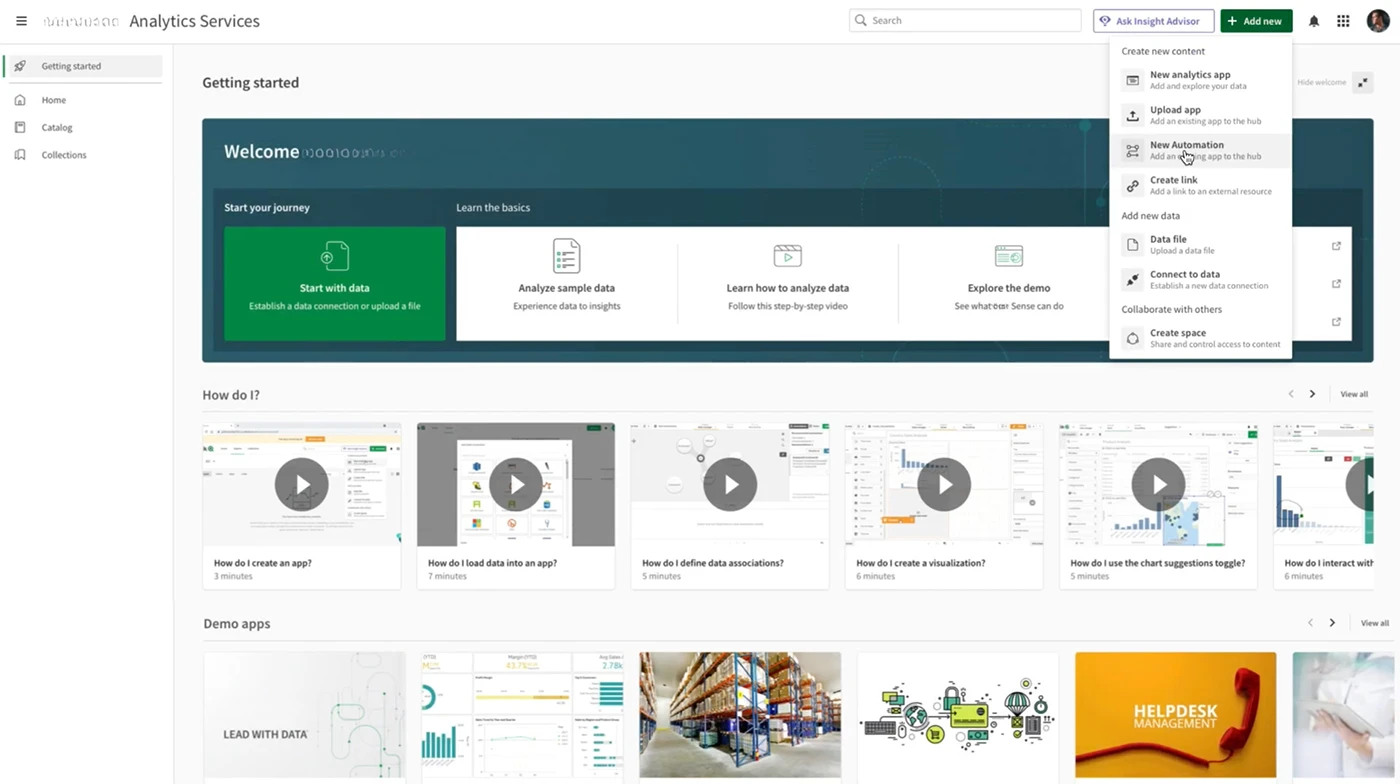
INTEGRATING A STARTUP PRODUCT INTO THE CLOUD ECOSYSTEM
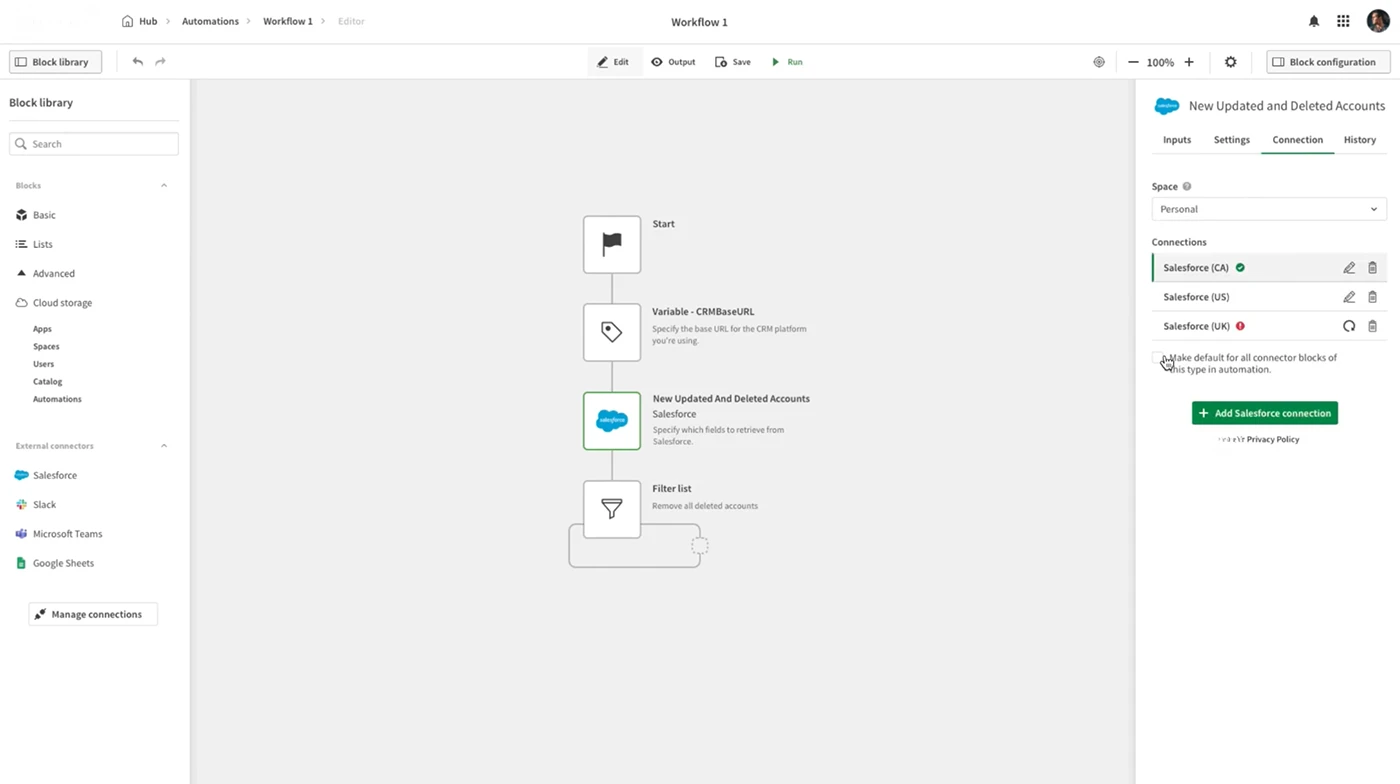
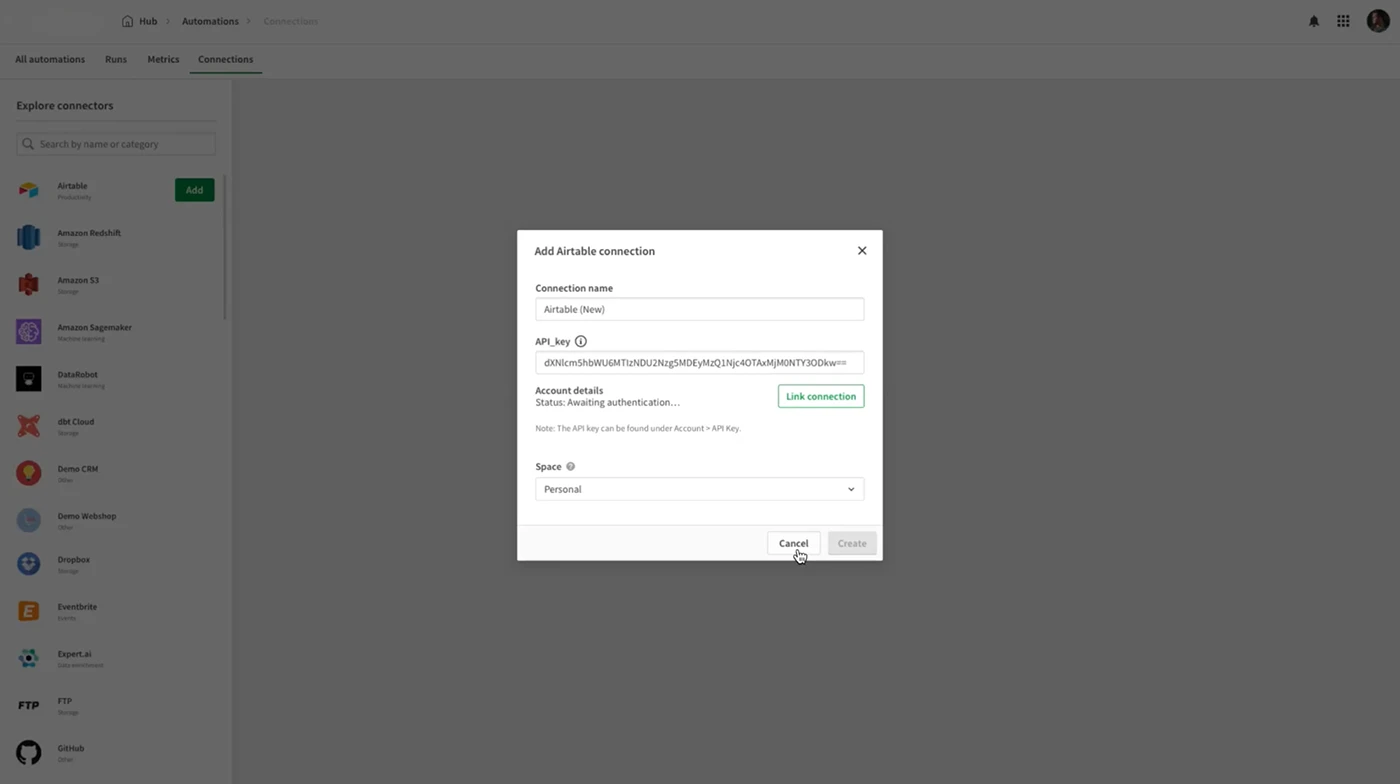
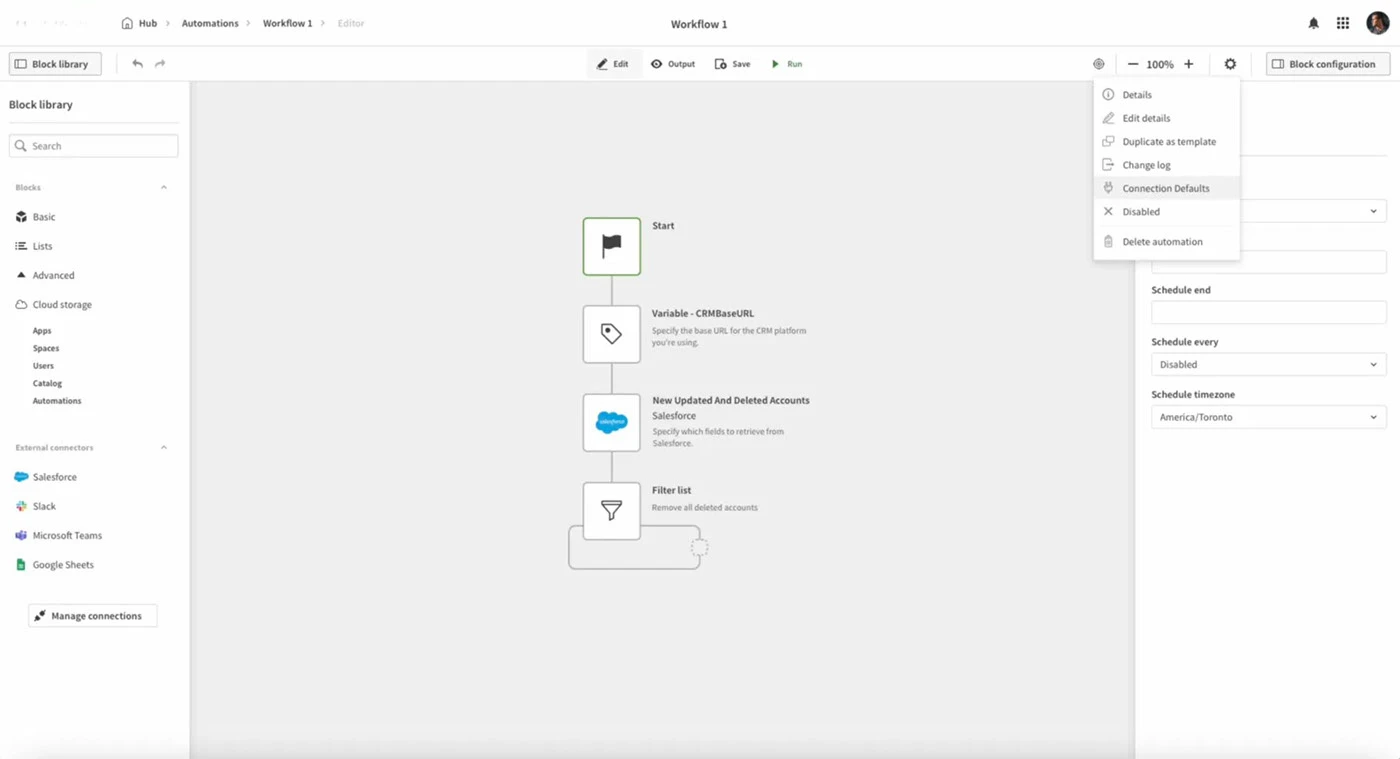
Challenge: When Client acquired another startup, the automation builder felt like a separate product, it didn't fit within Clients Cloud's design system.
Issue: Users found the interface inconsistent with the platform, leading to a fragmented experience that made it harder to trust the system and navigate between features. These inconsistencies disrupted flow and created confusion, especially for experienced users accustomed to Client's visual and interaction patterns.
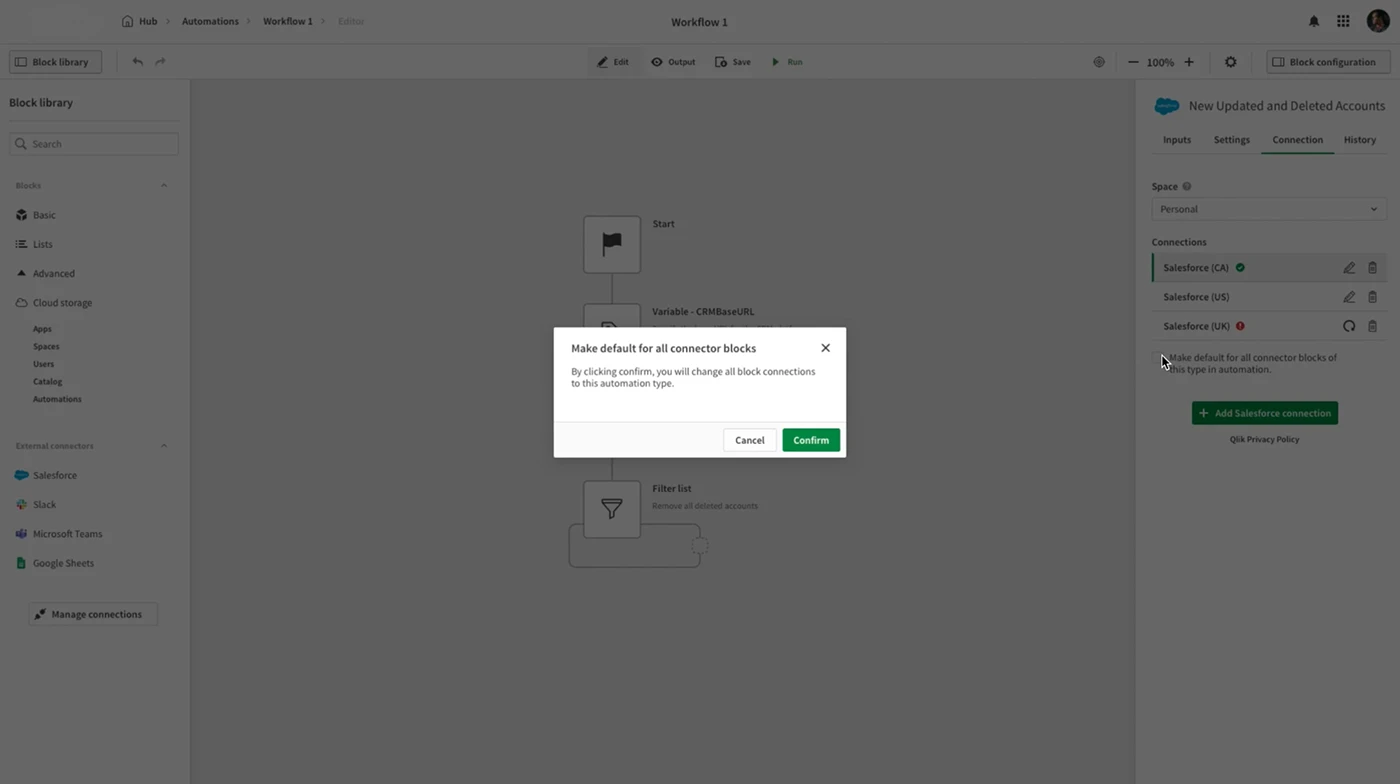
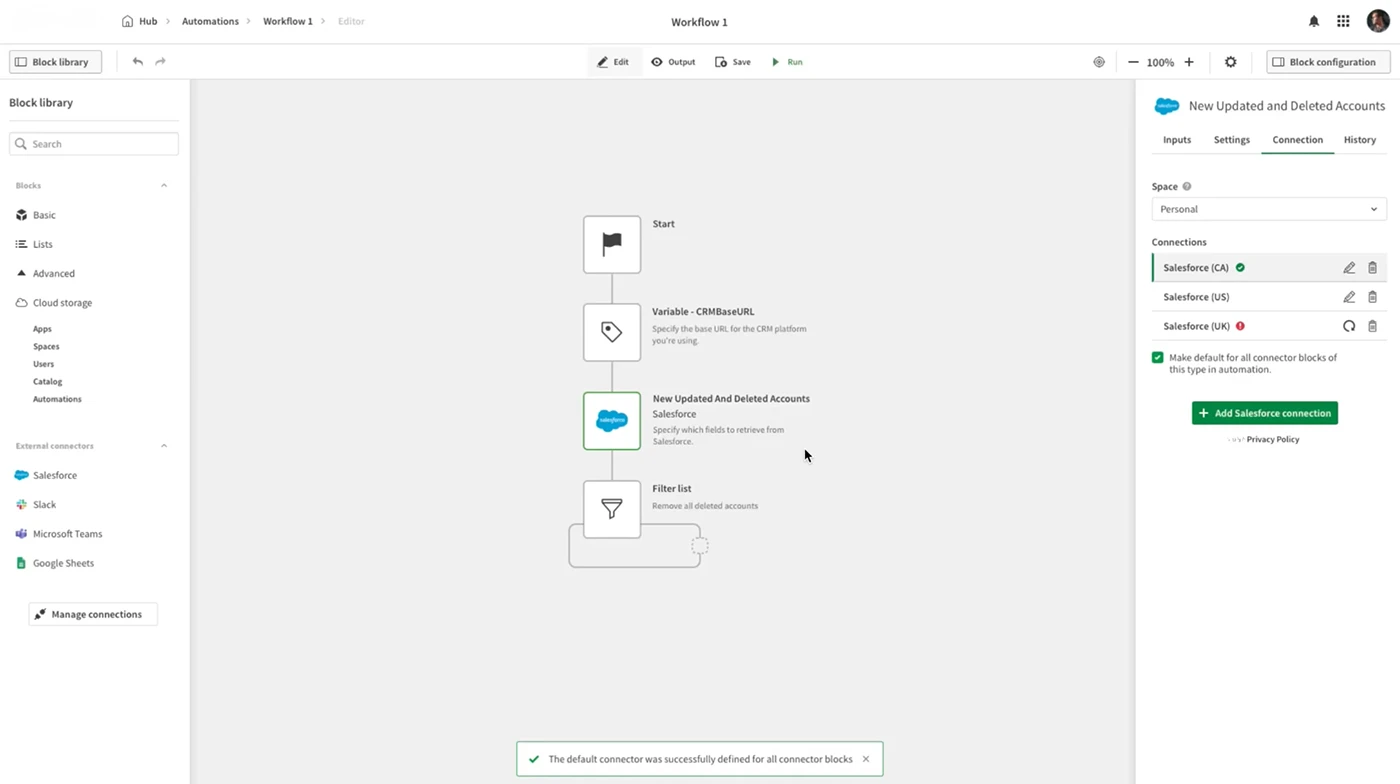
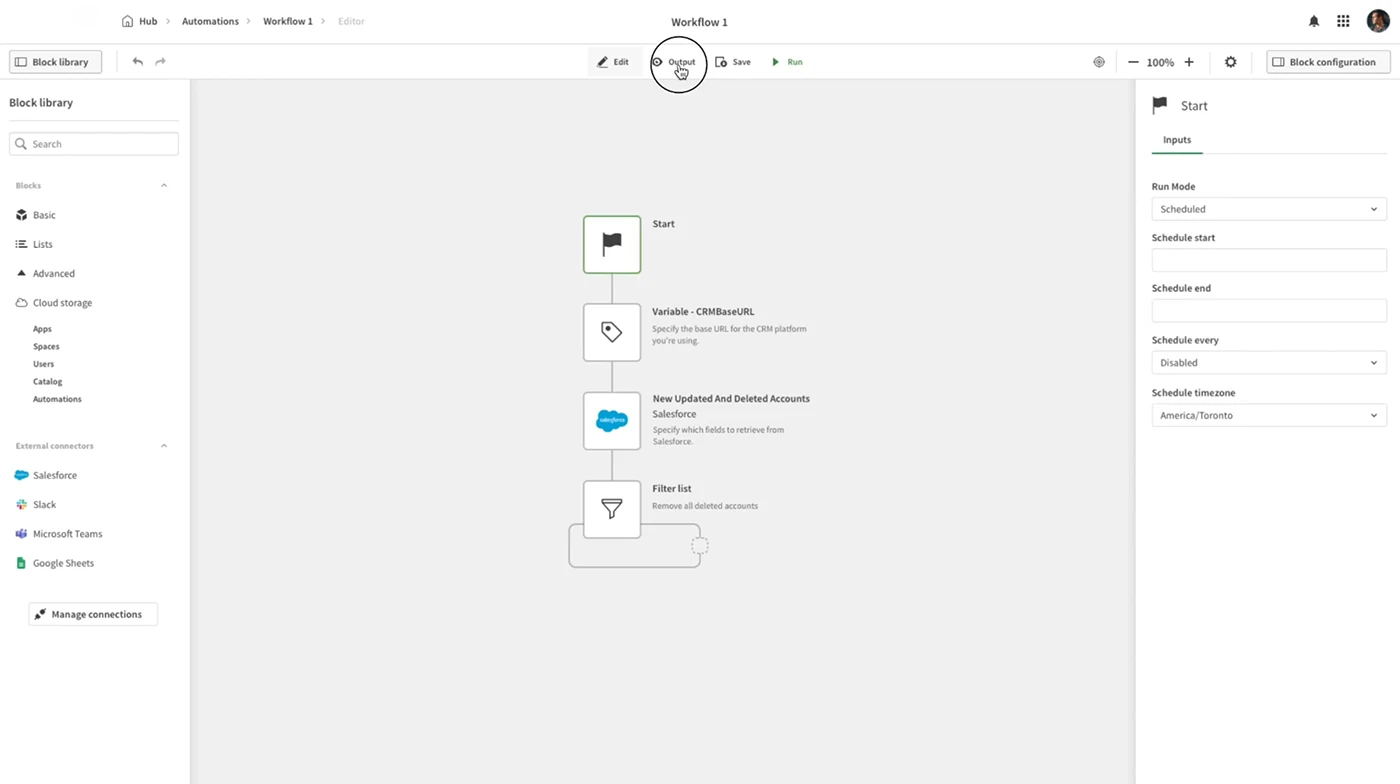
Solution: I redesigned the interface to align with Client's UI, making automation feel like a natural part of the platform, so users could navigate it just as easily as any other Client feature.
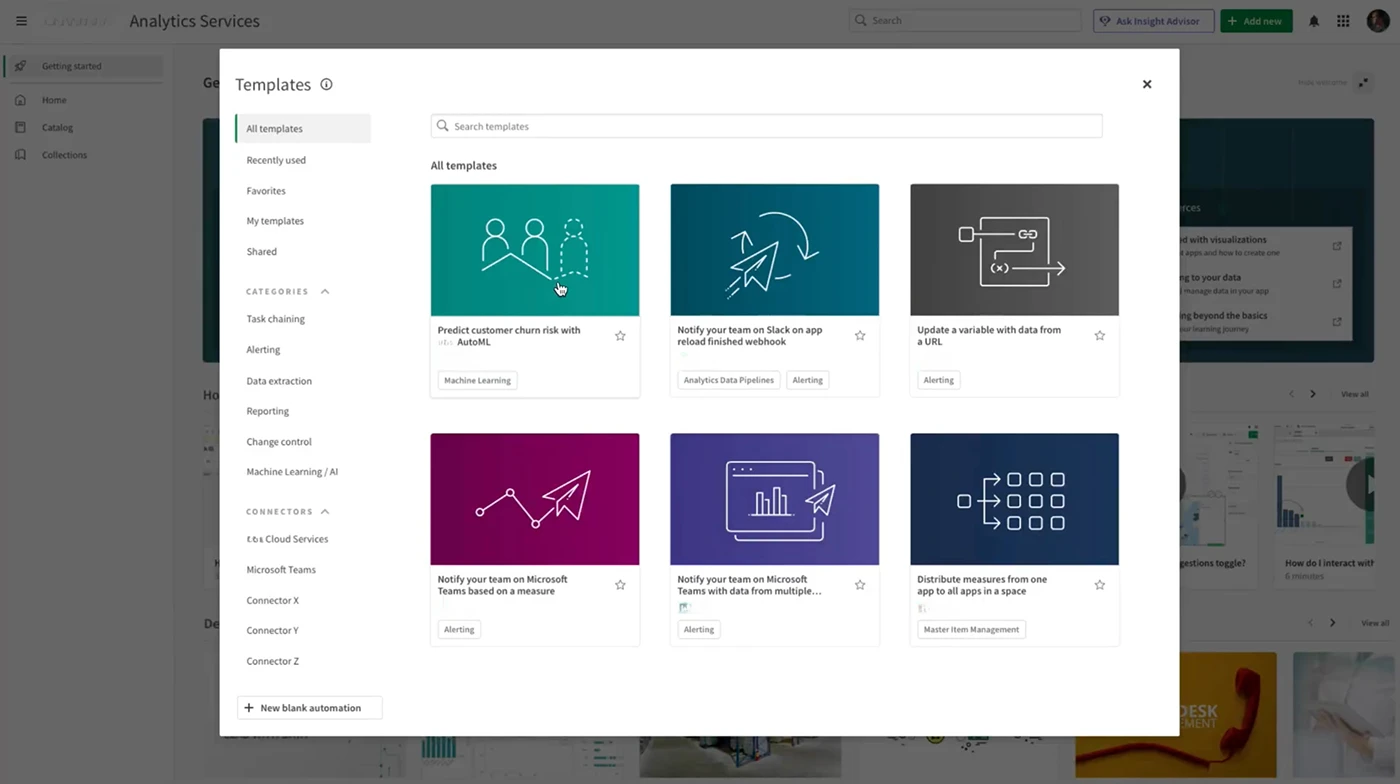
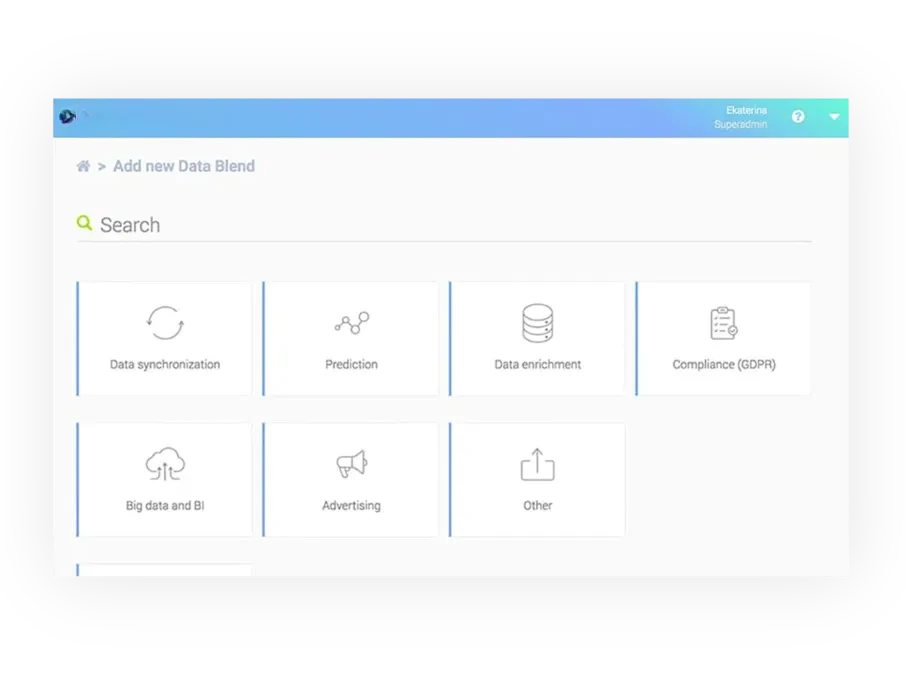
Template Picker Adoption
Challenge: The Template Picker was meant to simplify workflow creation, but users weren't using it.
Issue: Beginners felt lost, while experienced users found it too limiting.
Solution: I revamped the Template Picker UI, reorganized categories for better navigation, and made templates more flexible, helping both new and advanced users get more value from them.
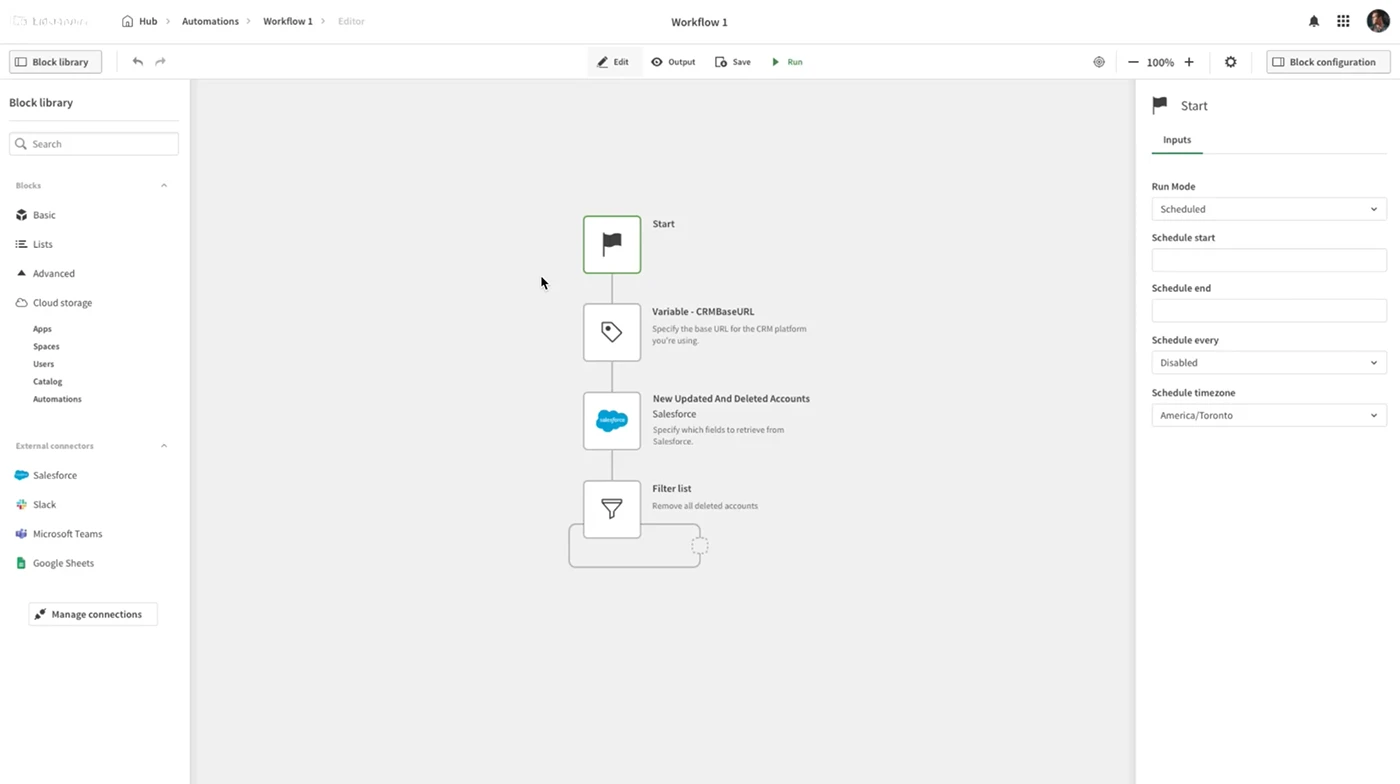
OPTIMIZING WORKFLOW SETUP
Challenge: Many users (especially those without technical backgrounds) found workflow setup overwhelming.
Issue: The process was too complicated, and the interface didn't offer enough guidance.
Solution: I added guided setup steps, a more structured layout, and easy access to pre-built templates, making it simpler for users to configure workflows without getting stuck.
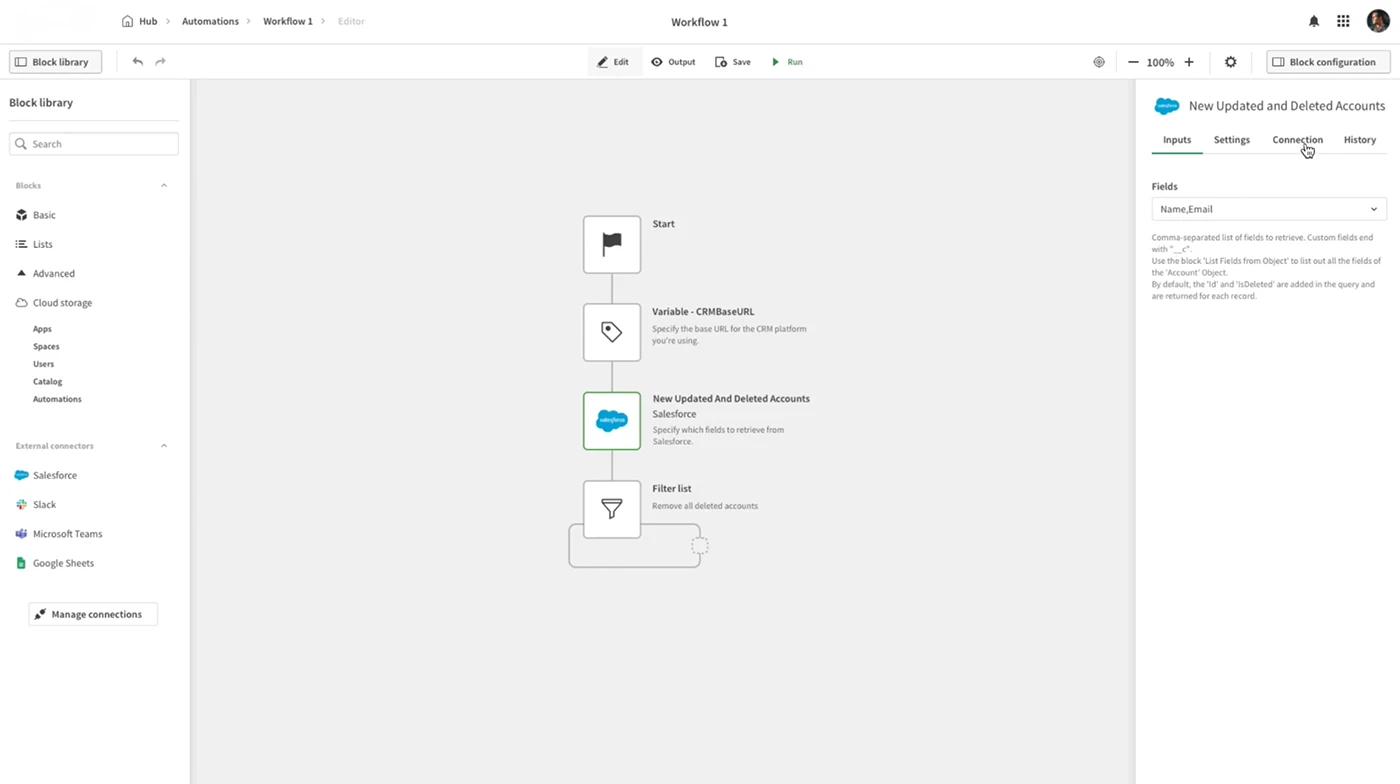
AUTOMATION MONITORING AND CONTROL
Challenge: Users needed real-time visibility into automation performance but had no way of knowing whether workflows succeeded, failed, or stalled. Without clear feedback or entry points for troubleshooting, the system felt unreliable, especially for business-critical use cases.
Issue: There was no central dashboard for tracking automation status, troubleshooting errors, or managing integrations.
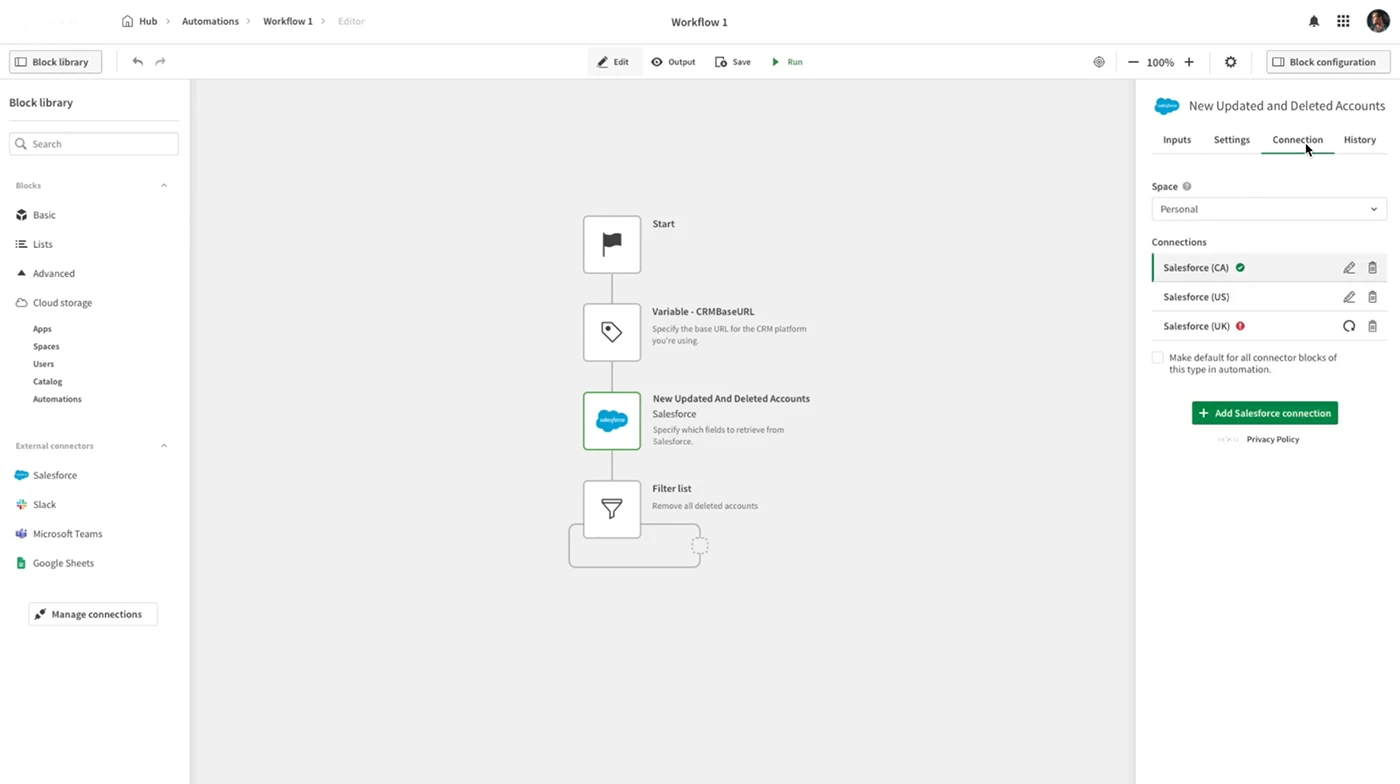
PROJECT ARTIFACTS
The screens and process, brought into the case.